A personal take.
On everyday software.

I'm Khent. I build desktop apps and personal projects. This is where you can explore them, see how they work, and try them yourself.

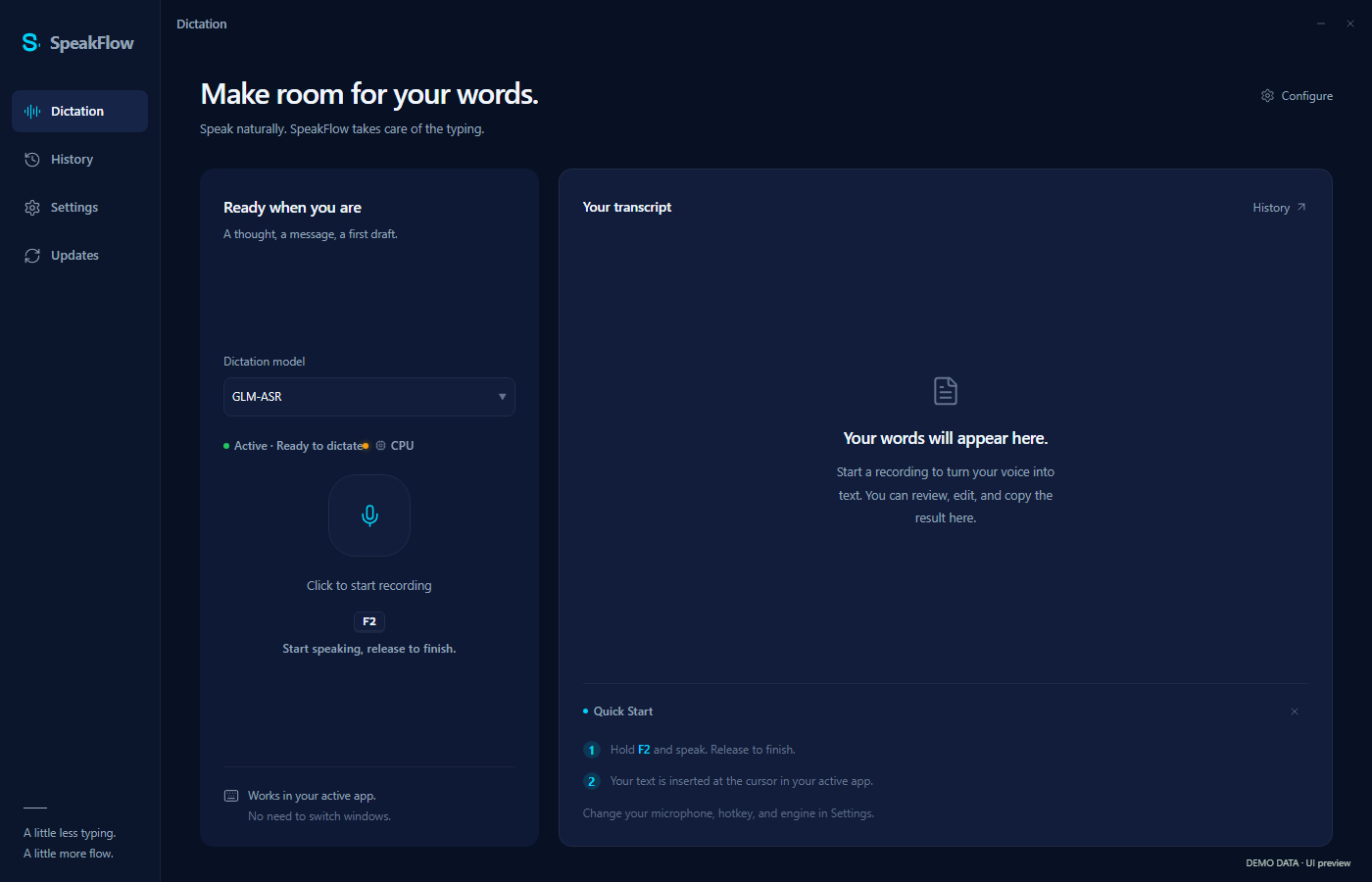
SpeakFlow's dark dictation workspace with recording controls and a transcript panel.

Speak naturally. Keep your flow.

Explore SpeakFlow

Published workspace preview · may differ from the downloadable version.

Three apps. Different ideas. Made to be used.

Meet the applications

Get to know
the applications.

The idea, the interface, and a way to try it.
Here’s a closer look at what each one does.

SpeakFlow

Speech to text · Windows
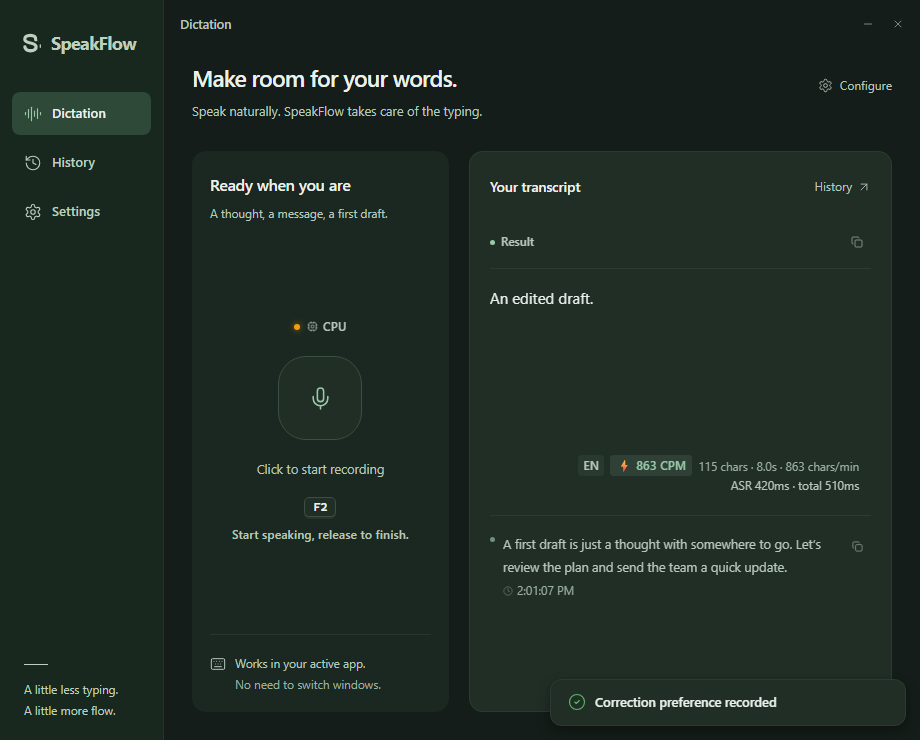
SpeakFlow's dark dictation workspace with recording controls and a transcript panel.
Published workspace preview · may differ from the downloadable version. View full image

Speak naturally. Keep your flow.

Hold a hotkey, speak, then release. SpeakFlow turns your words into text in the app you're already using, with local and cloud recognition options.

  • Dictate into your active app
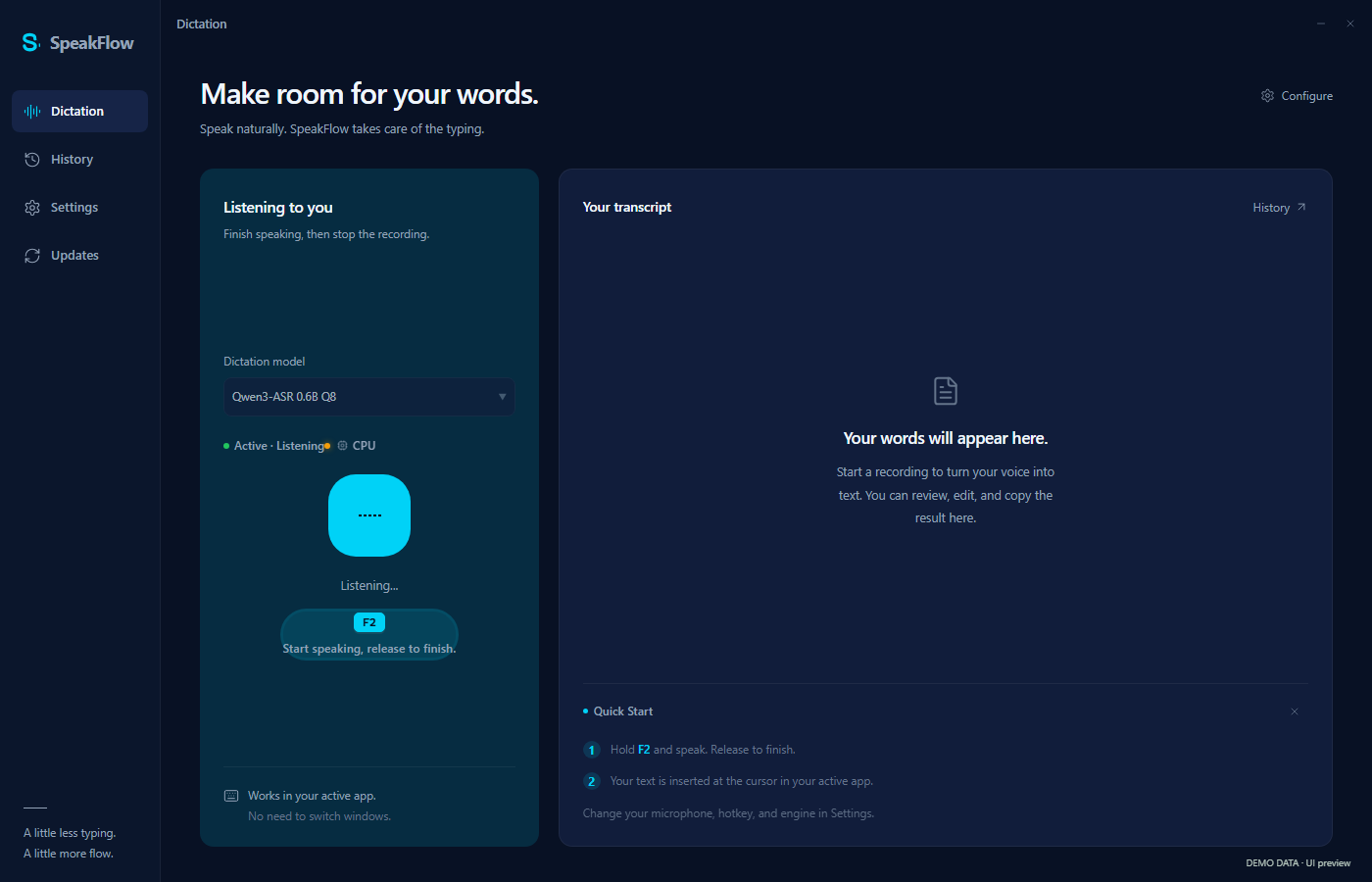
    SpeakFlow showing its active Listening state, recording waveform and dictation model.
    Dictation in progress · actual interface with simulated recording; no microphone or private audio used.
  • Choose local or cloud speech recognition
    SpeakFlow with the cloud GLM-ASR engine selected in the Dictation model control.
    Cloud recognition selected · actual model selector with a demo backend; no cloud request made.
  • Optional AI rewriting and translation
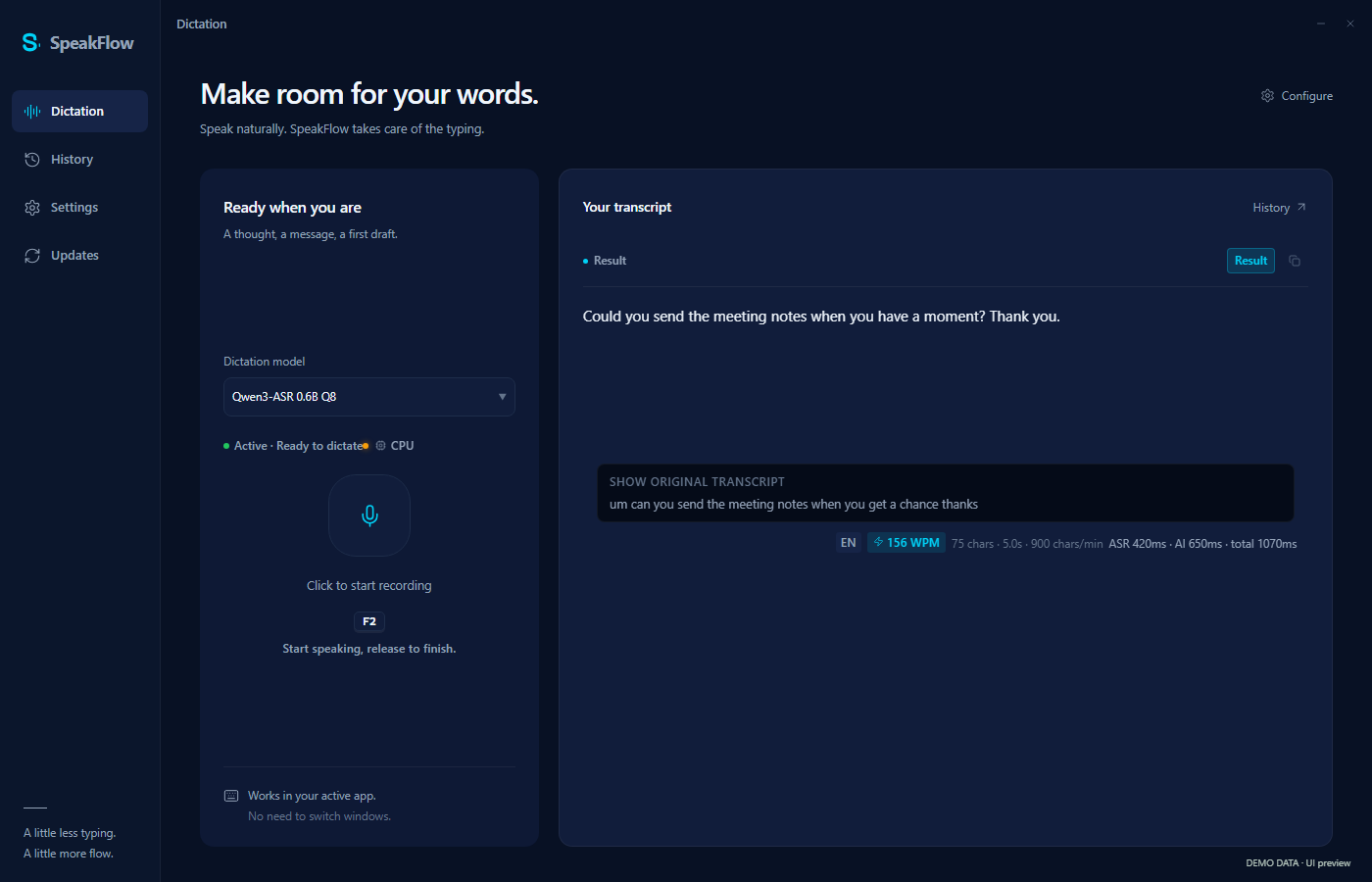
    SpeakFlow displaying rewritten text and the original draft for comparison.
    Rewriting example · original and polished demo text in the actual interface.
Download for Windows Explore the source

Cinder

Developer tools · Windows
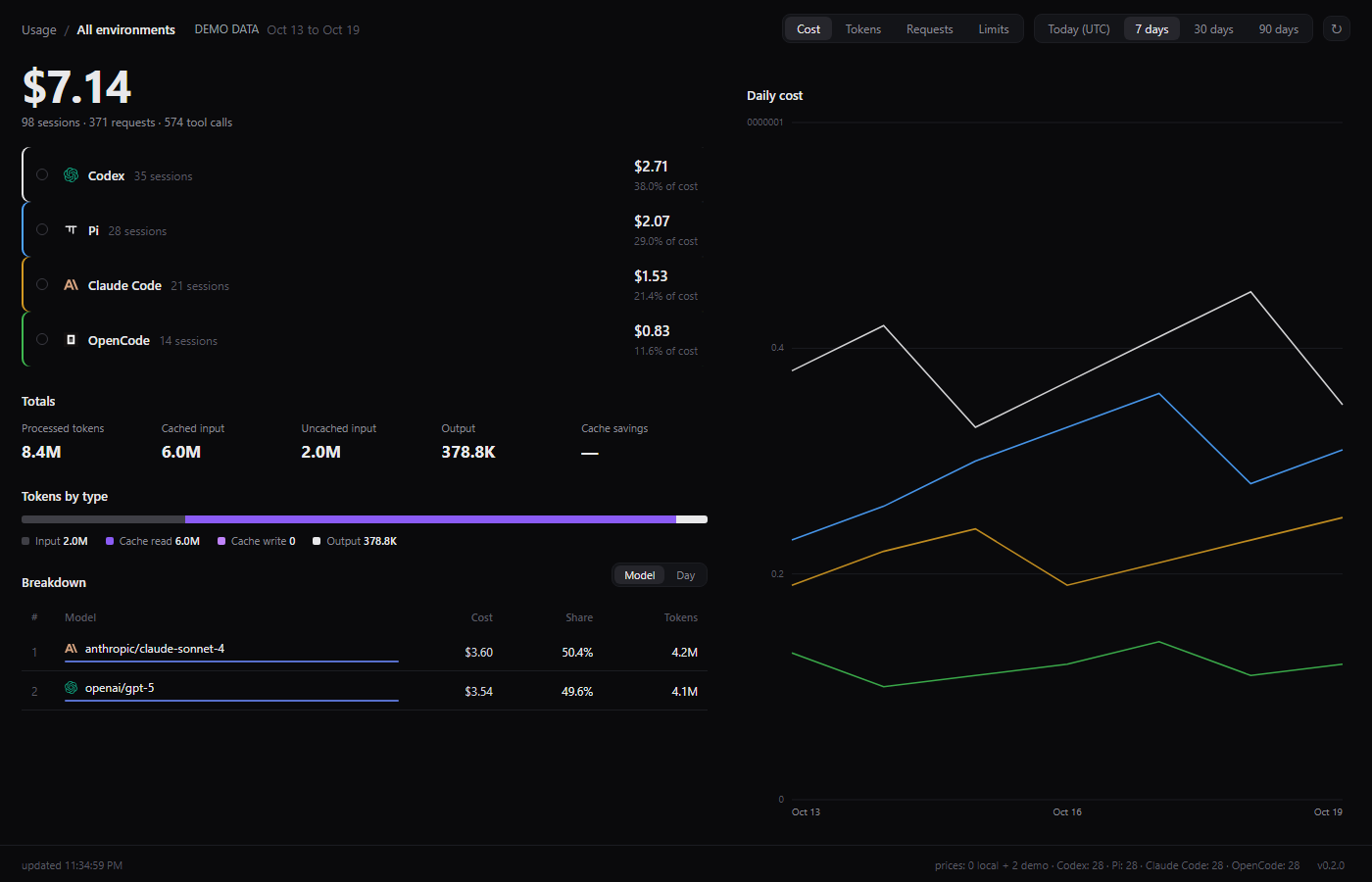
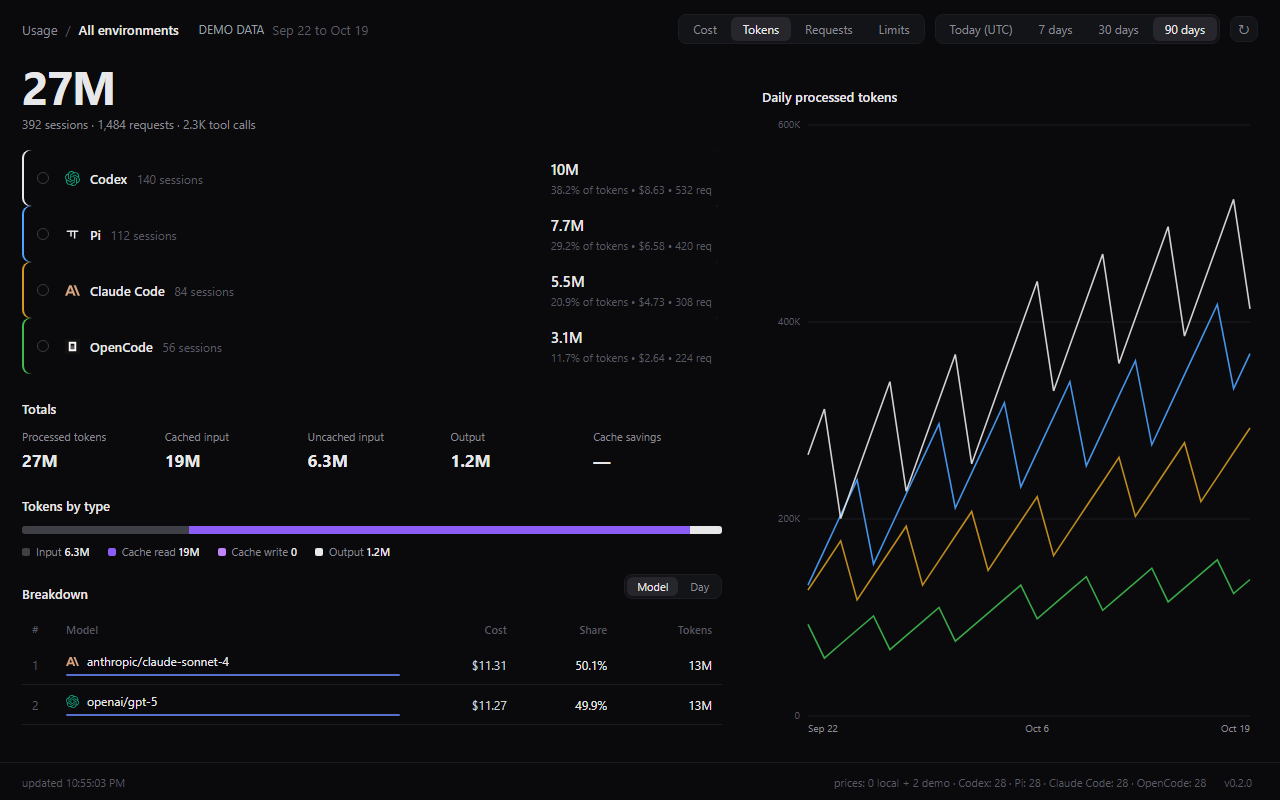
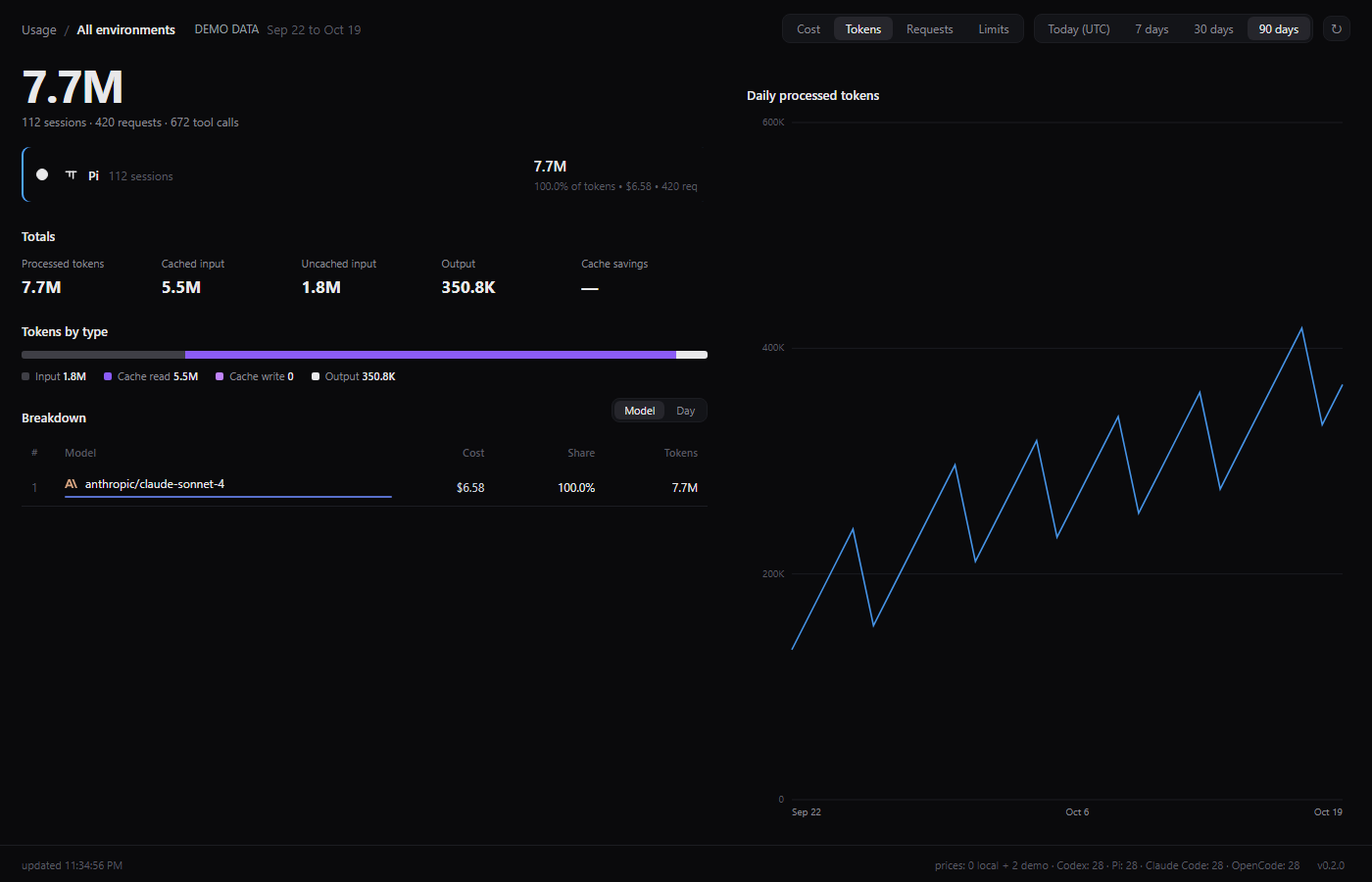
Cinder's actual dashboard showing coding-agent usage, token totals, a model breakdown, and daily charts with demo data.
Actual Cinder interface · demo data, not personal usage. View full image

See where your agent usage goes.

Cinder brings your coding-agent activity into one desktop view. Explore requests, tokens, and available cost estimates from local logs instead of piecing them together across tools.

  • Read coding-agent logs on your machine
    Cinder filtering its dashboard to the Pi coding agent, with requests and token totals.
    Agent-specific usage · actual interface with synthetic session data.
  • Explore usage across date ranges
    Cinder showing the Cost metric over the last seven days.
    Seven-day cost view · actual interface with synthetic usage totals.
  • Check for app updates
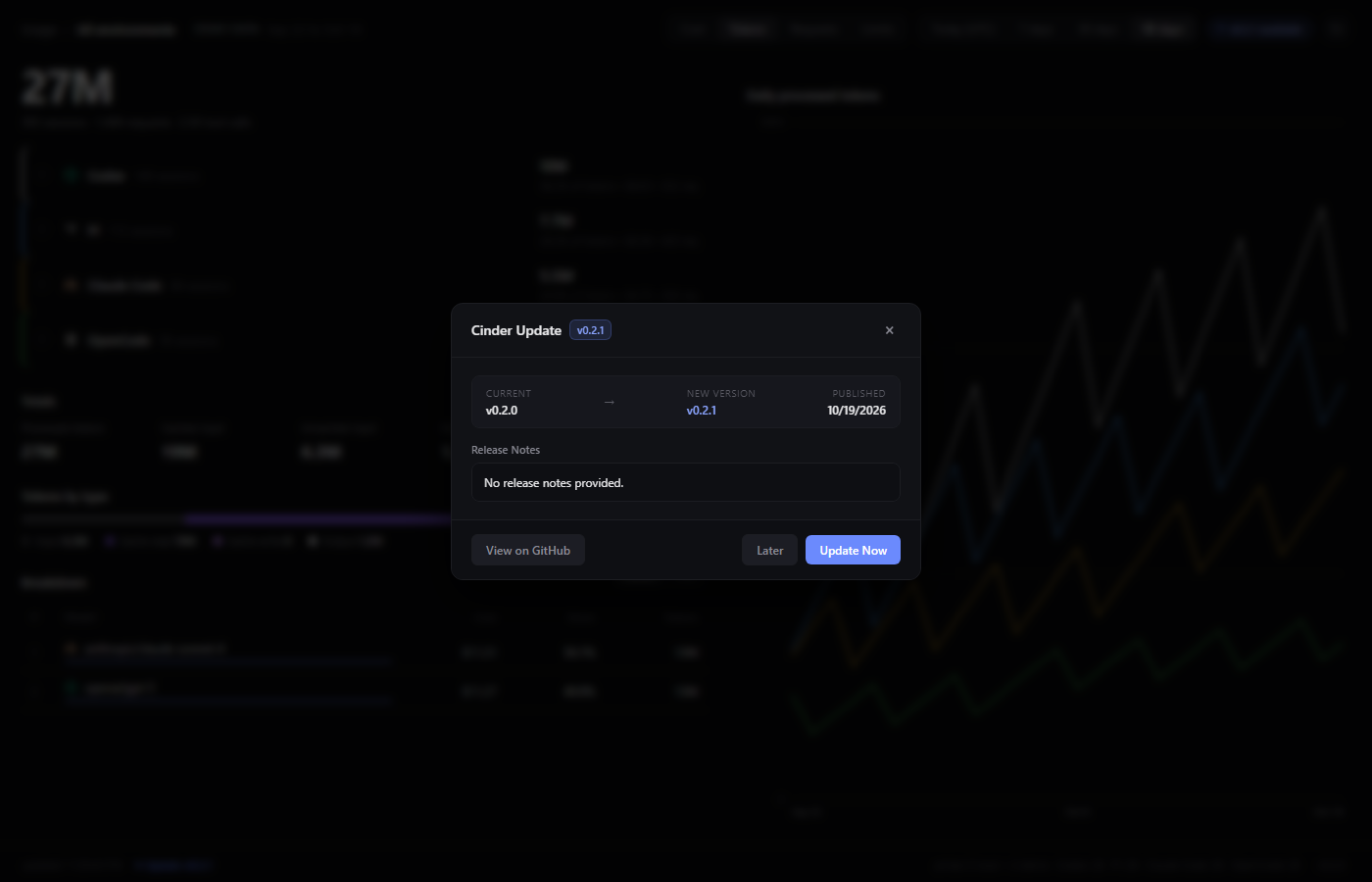
    Cinder's update dialog with example release details and update controls.
    Update dialog · simulated release information; no update downloaded.
Download for Windows Explore the source

Everglow

Desktop app · Windows
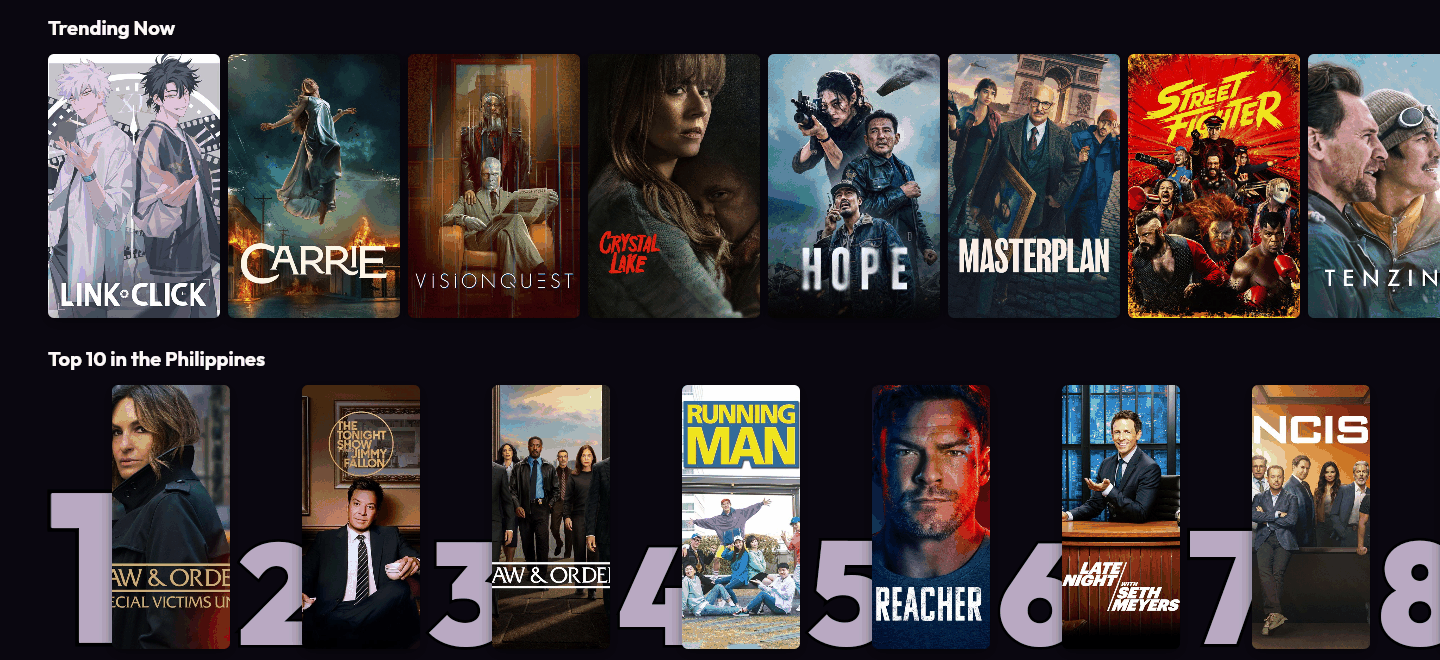
Everglow Cinema's homepage with a Trending Now row of film and series posters and the Top 10 in the Philippines.
Cinema homepage · live catalogue, cropped to its public trending rows. View full image

Something to watch. Something to read.

Everglow brings cinema, anime, and manga/manhwa together. Find something to watch tonight, catch up on what's airing, or pick your next read.

  • Cinema — films and series for tonight
    Everglow Cinema's homepage with a Trending Now row of film and series posters and the Top 10 in the Philippines.
    Cinema homepage · live catalogue, cropped to its public trending rows.
  • Anime — what's airing and trending
    Everglow's anime homepage with a trending show in the hero, its rating, genres and Watch Now controls.
    Anime homepage · live public catalogue at capture time.
  • MangaCelestia — manga, manhwa and manhua
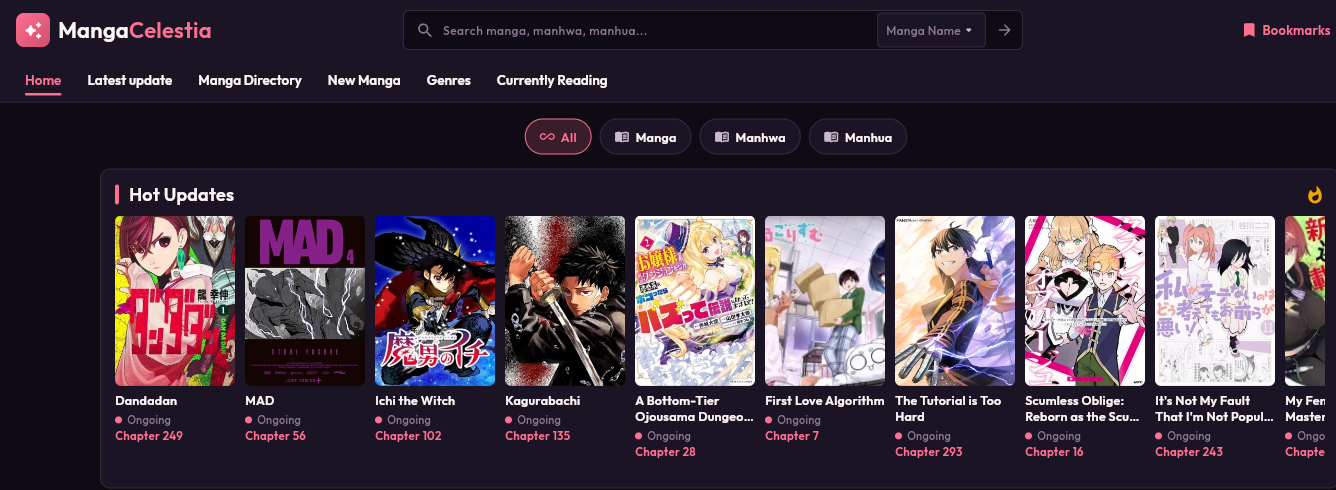
    MangaCelestia's homepage with manga, manhwa and manhua filters and a Hot Updates row of covers.
    MangaCelestia homepage · live public catalogue, cropped to the top of the page.
Download for Windows Explore the source

Elsewhere in the workshop.

SLSS

Explore the source and development on GitHub.

TypeScript
All repositories on GitHub

Your desktop.
Meet your next app.

Windows installers, hosted on GitHub.
Choose an app and make it your own.

These downloads link to the versions listed. For newer versions, requirements, and changes, open “Latest release & notes.” Install only software you trust; Windows may show a security prompt. Local models and optional cloud services may require additional setup.

The person
behind the projects.

I'm Khent. Felary is my personal website — a place to bring together the things I build, share the source, and make my apps easier to find.

Some projects become desktop apps. Others stay experiments. This collection is a starting point, and I'll keep adding to it as the work grows.

Follow the work on GitHub